Your newsroom publishes. Plaza builds the newsletter.

Plaza pulls the stories from your site, builds each edition and sends it to your readers, making sure it lands in the inbox. Your newsroom just reviews and approves.

app.plaza.news/panel/ediciones
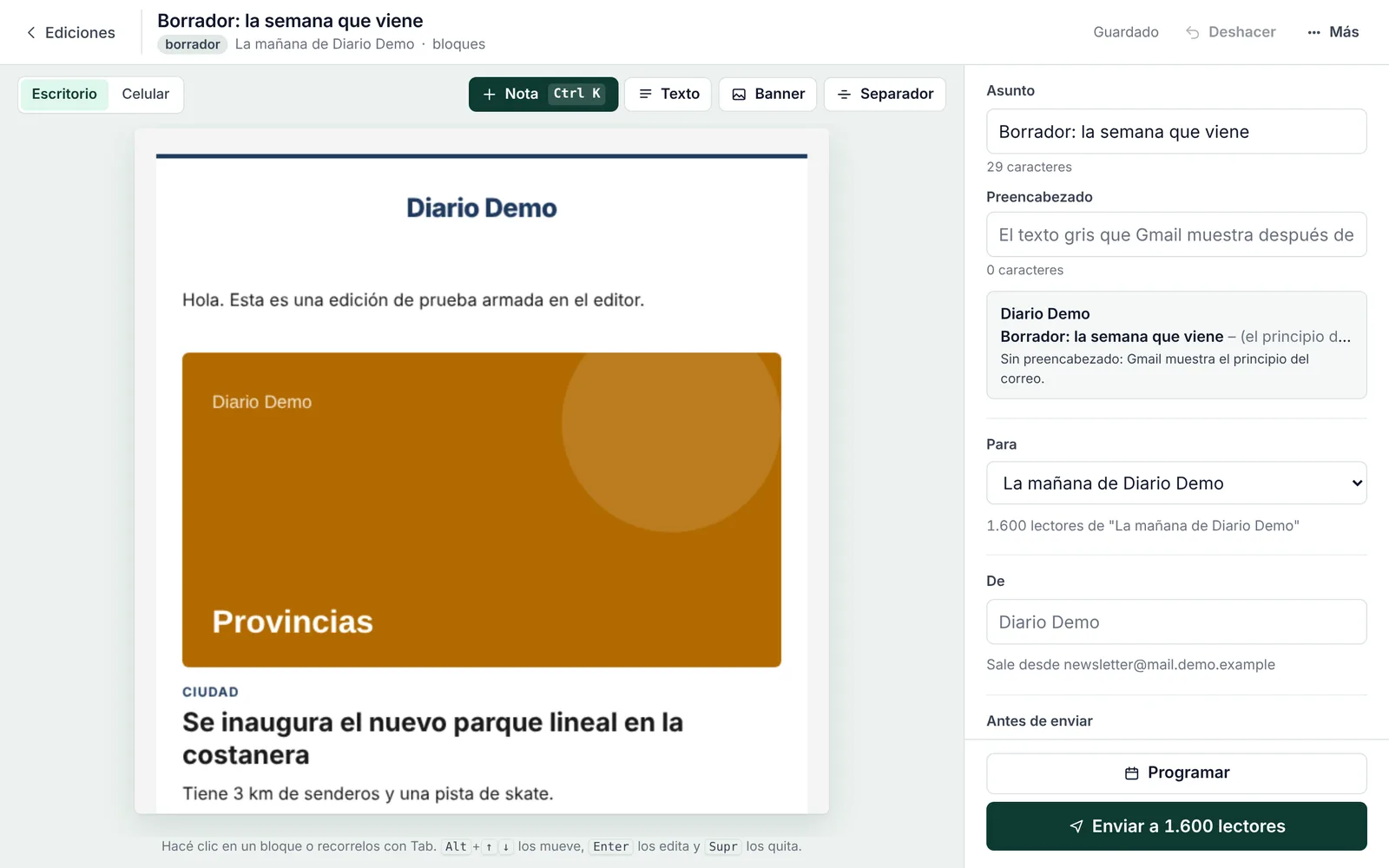
Plaza editor: the email in the center with a featured story, and on the right the subject line, list, sender and the Send to 1,600 readers button.
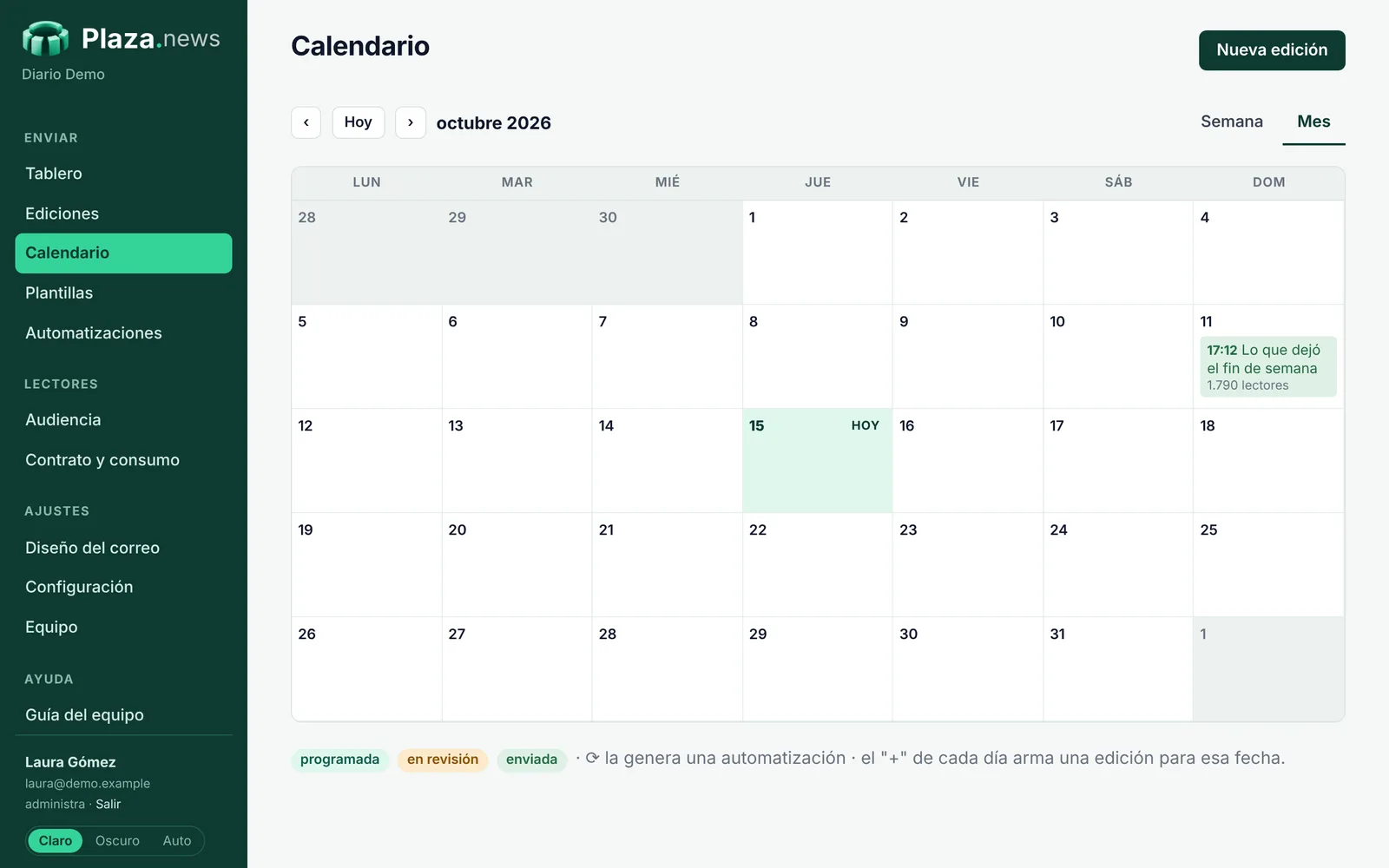
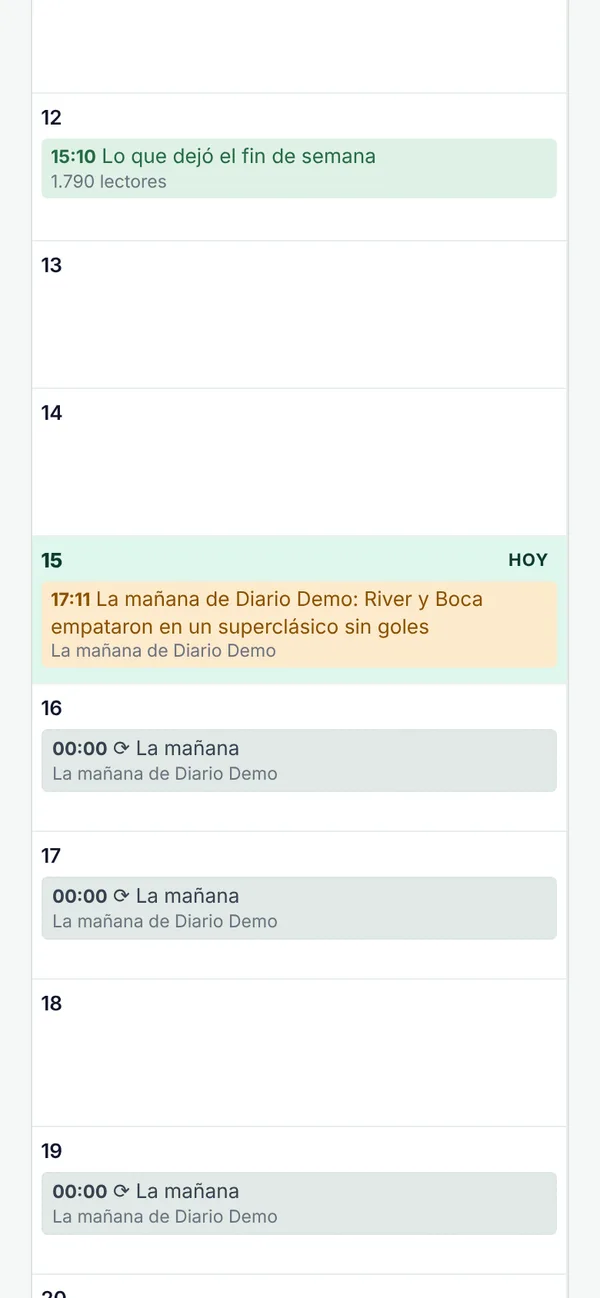
Plaza calendar with the week’s scheduled, in-review and sent editions.
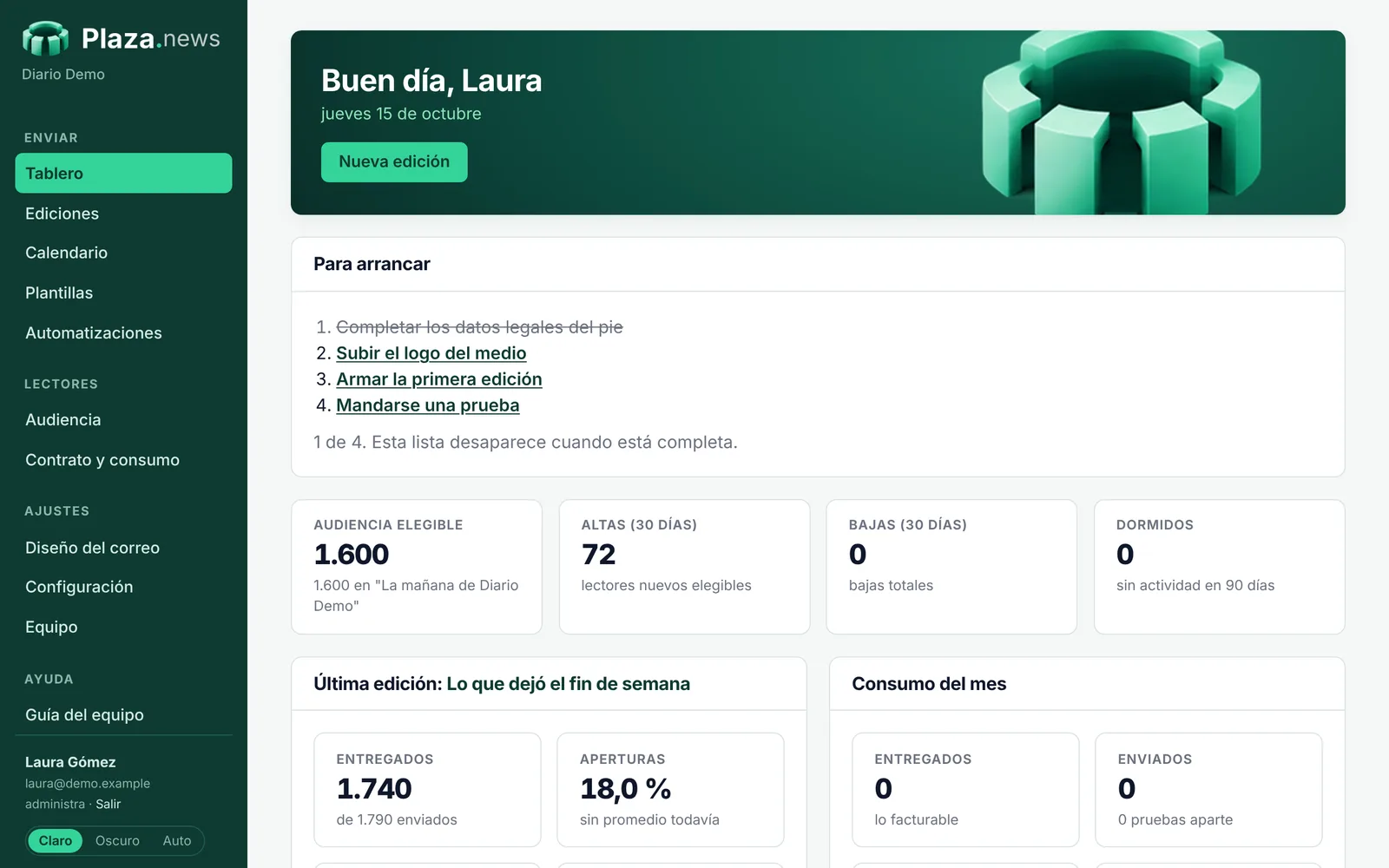
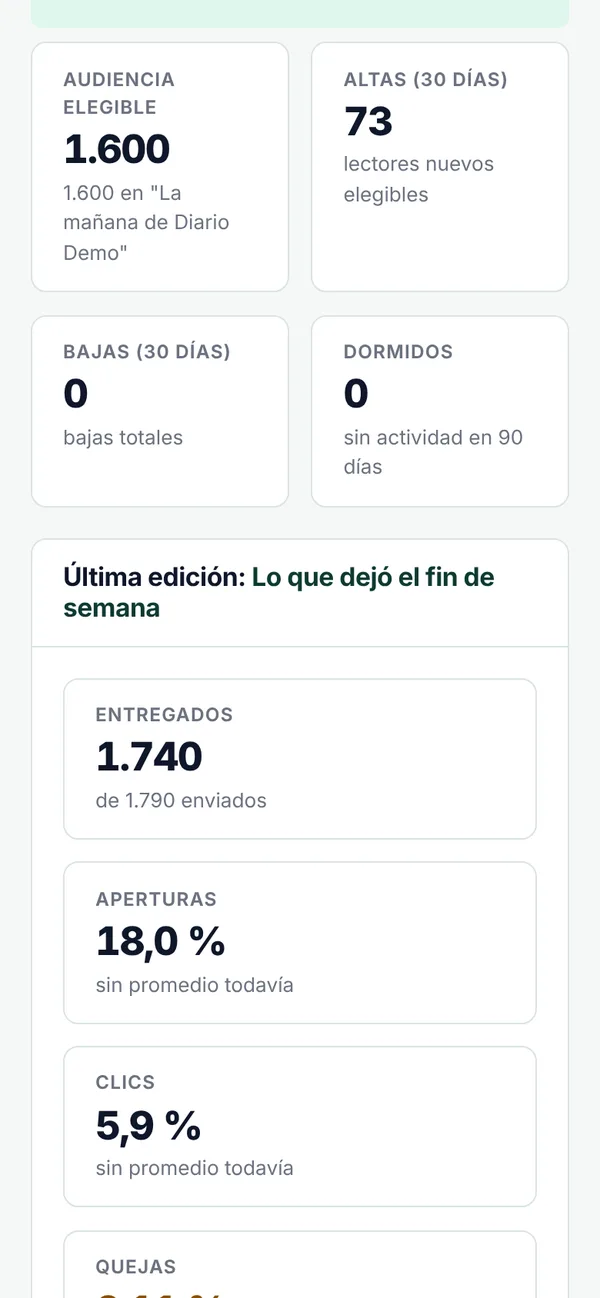
Plaza dashboard: audience, sign-ups, unsubscribes, last edition results and monthly usage.
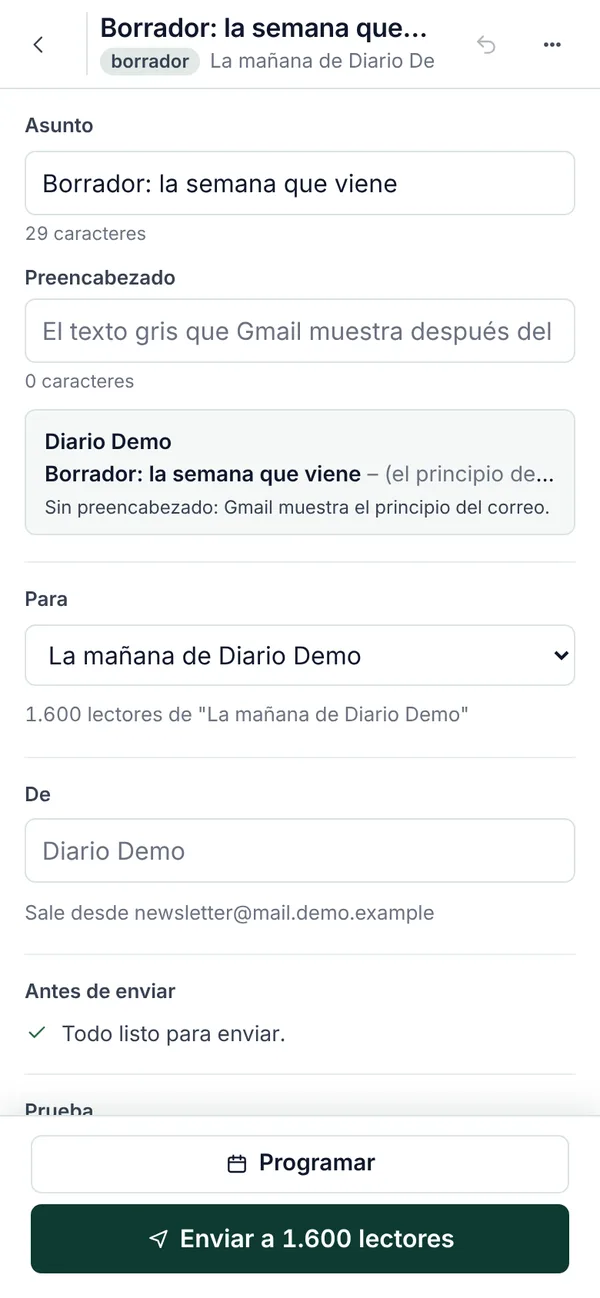
Plaza editor on a phone: subject line, preheader, list, sender and the Send to 1,600 readers button.
Sending · batch 1 of 4
Plaza calendar on a phone: the week’s sent, in-review and automatic editions.
07:00 La mañana de Diario Demo: River and Boca draw 0–0 in the Superclásicoscheduled · 1,600 readers
La mañana · today, 07:00

Built itself from the most-read stories. Expires in two hours.

ApproveReview
Plaza dashboard on a phone: eligible audience, sign-ups, unsubscribes and last edition results.
Stories from your site, no copy and pasteSearch, pick, and they’re laid out.
The daily builds itselfIt shows up for review and you approve it from your phone.
Numbers with contextEvery edition compared with your own average.
Scroll

From your site to the inbox, in four steps.

  1. Connect your site

    Plaza takes your stories and your reader base. The Plaza team connects everything to your CMS and your domain, with no spreadsheets or imports.

  2. Choose what goes out and when

    Sections, number of stories and send time. Build each edition by hand or schedule an automatic one, like the Monday-to-Friday daily.

  3. Approve from your phone

    The edition arrives ready to review. Tweak the subject line or the stories and approve it with one tap; if nobody approves it in time, it doesn’t go out.

  4. Track the results

    Opens, clicks, most-read stories and unsubscribes for each edition, compared with your own average.

It all happens in one dashboard.

This is Plaza on the inside, with a sample outlet.

The edition builds itself

Pick sections and how many stories. Plaza pulls the most-read ones from your site and builds the email.

07:00 Monday to Friday, ready to review

  • Goes out at the time you choose
  • Subject line built from the lead headline
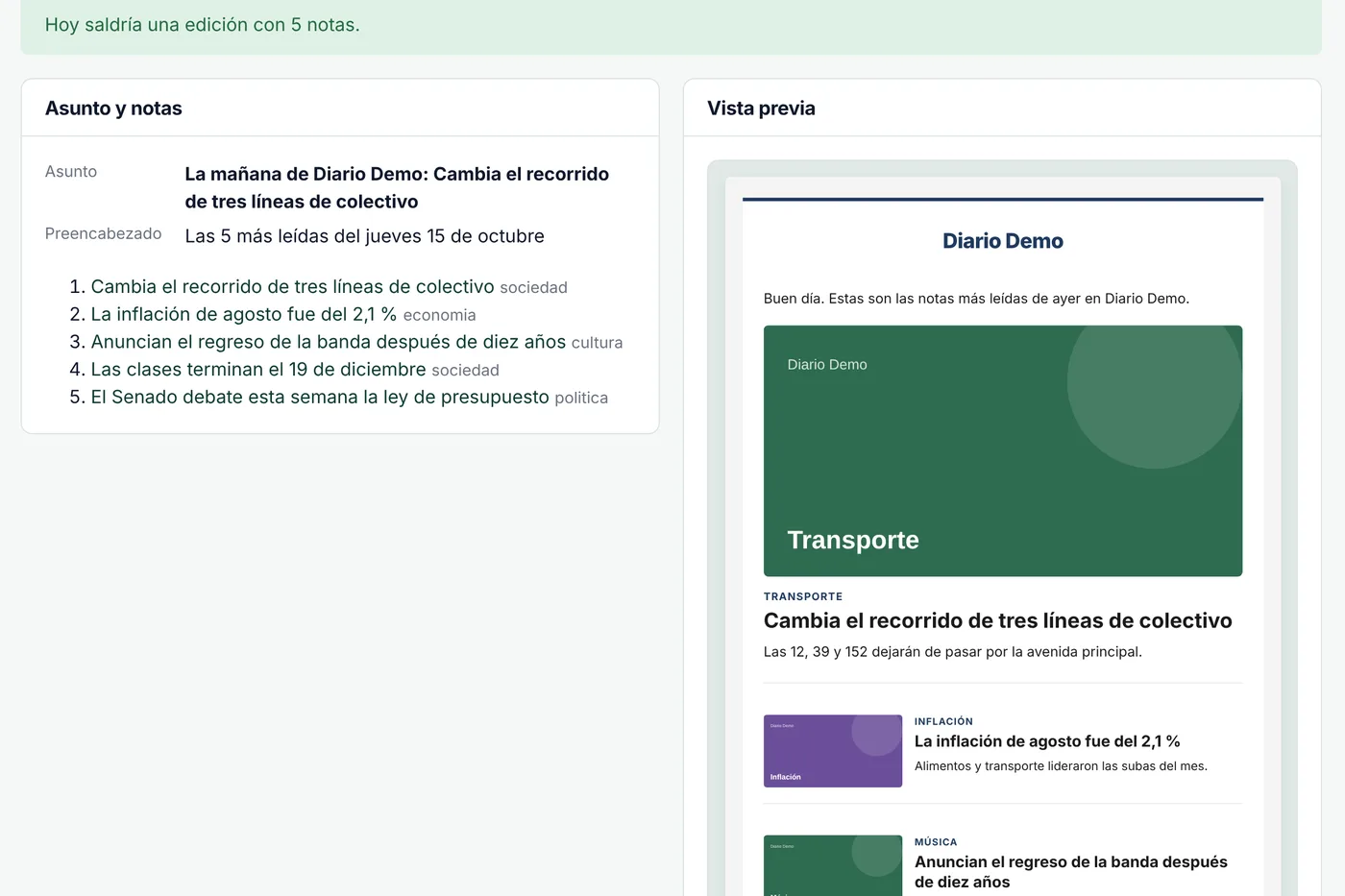
  • Preview what would go out today before you turn it on
Testing an automation in Plaza: the five most-read stories that would go out today and the email preview.
Automation on · Monday to Friday, 07:00
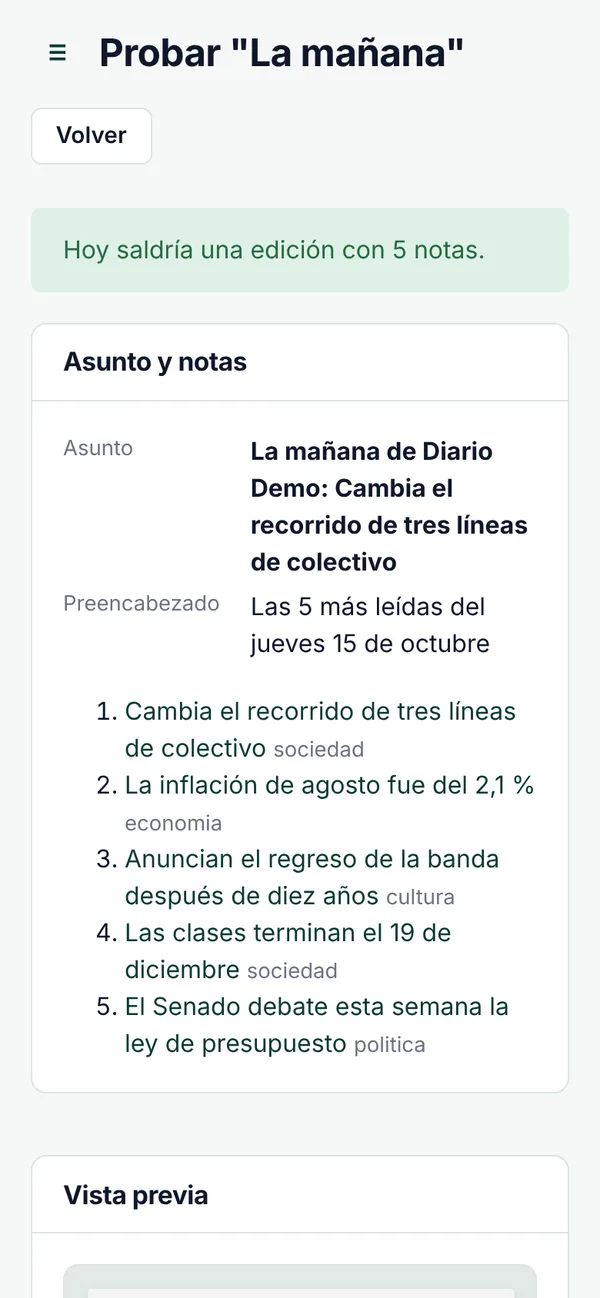
Testing an automation on a phone: the five most-read stories that would go out today.
Automation on · Monday to Friday, 07:00

Nothing goes out without your sign-off

Today’s edition waits in review. Approve it or discard it with one tap.

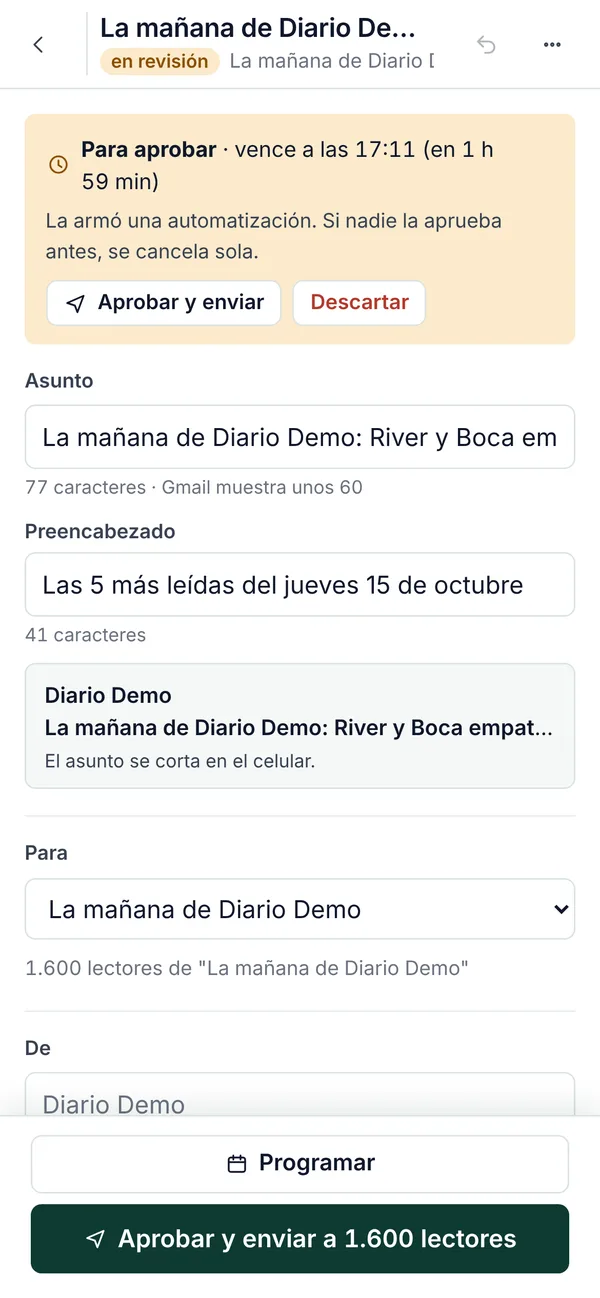
120 min to approve it before it expires

  • See how long until it expires
  • If nobody approves it, it cancels itself
  • The subject line, just as it shows in the inbox
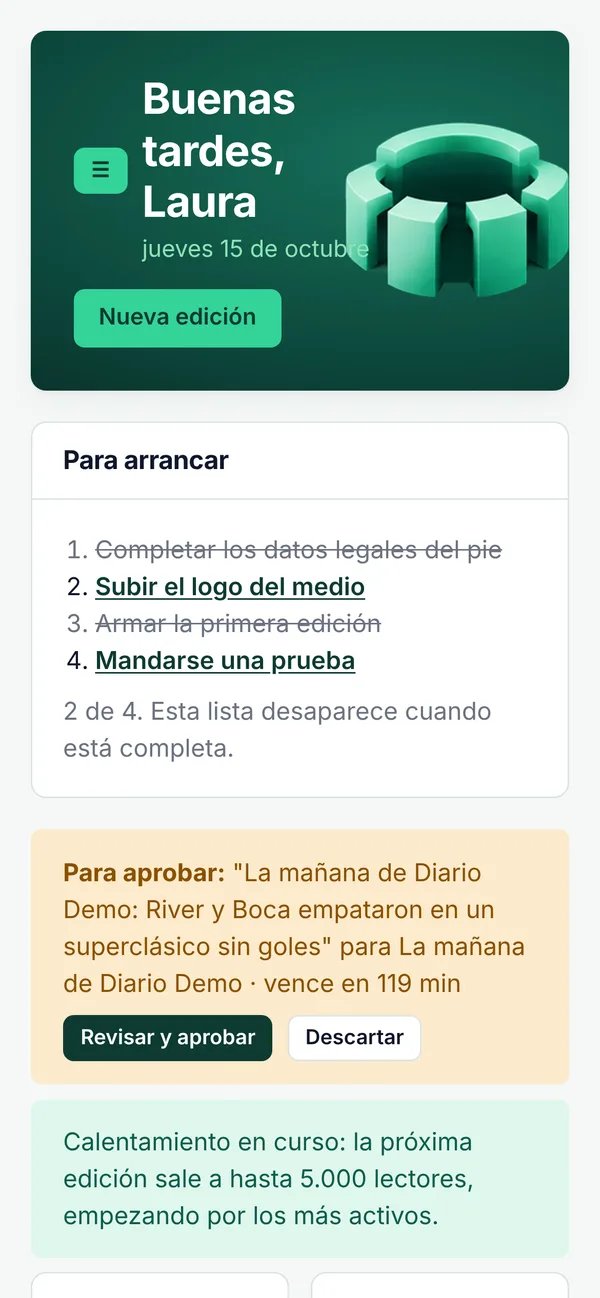
Plaza dashboard on a phone, with today’s edition waiting for approval.
Edition in review on a phone, with the expiry notice and the Approve and send to 1,600 readers button.
Sending · batch 1 of 4

Your reader list, always in sync

Plaza connects to your outlet’s system and shows you who you can email.

Every few minutes it catches up with your system

  • Who receives it, who doesn’t, and why
  • Unsubscribes apply instantly
  • Changes flow back to your system
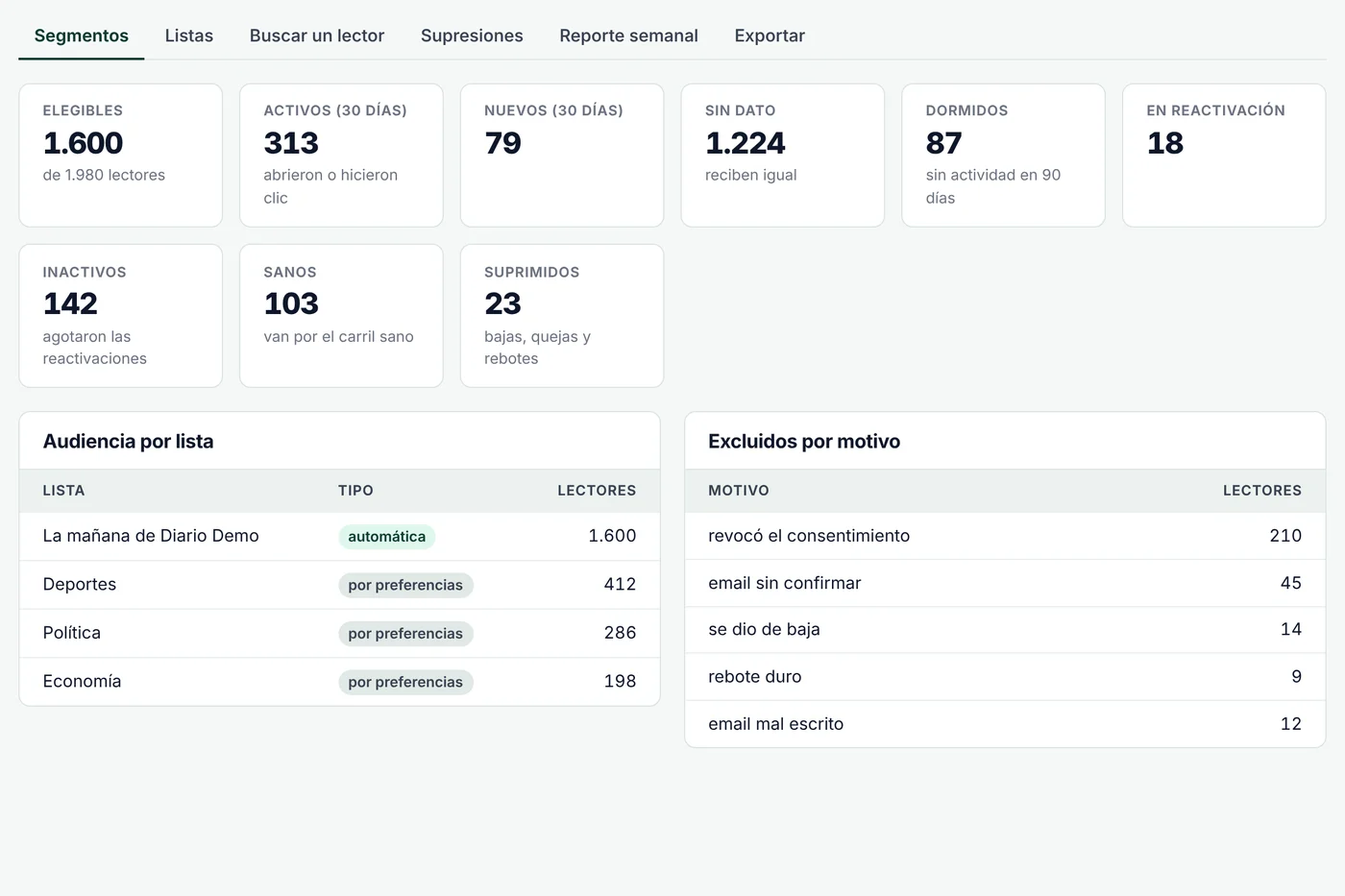
Audience in Plaza: eligible, active, new, dormant, inactive and suppressed readers, with the audience per list.
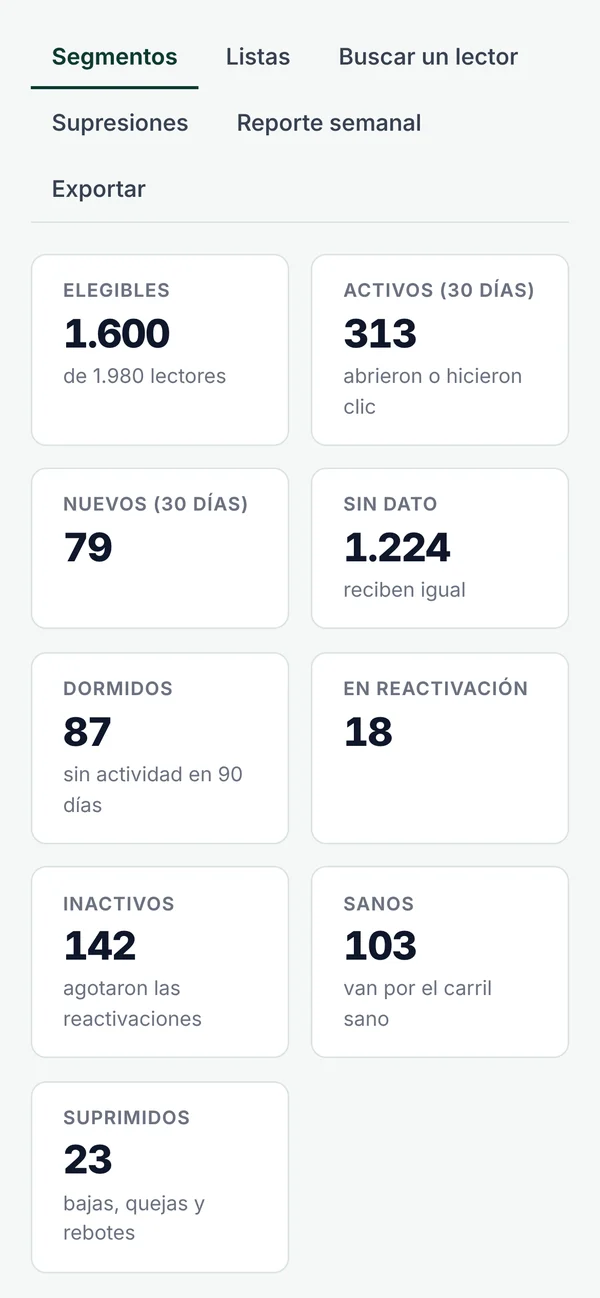
Plaza audience on a phone: eligible, active, new, dormant and suppressed readers.

Your brand, not ours

Every email goes out with your logo, your colors and from your domain.

0 mentions of Plaza in the email

  • Live preview while you adjust it
  • Legal footer and one-click unsubscribe included
  • Plaza never shows up in the email
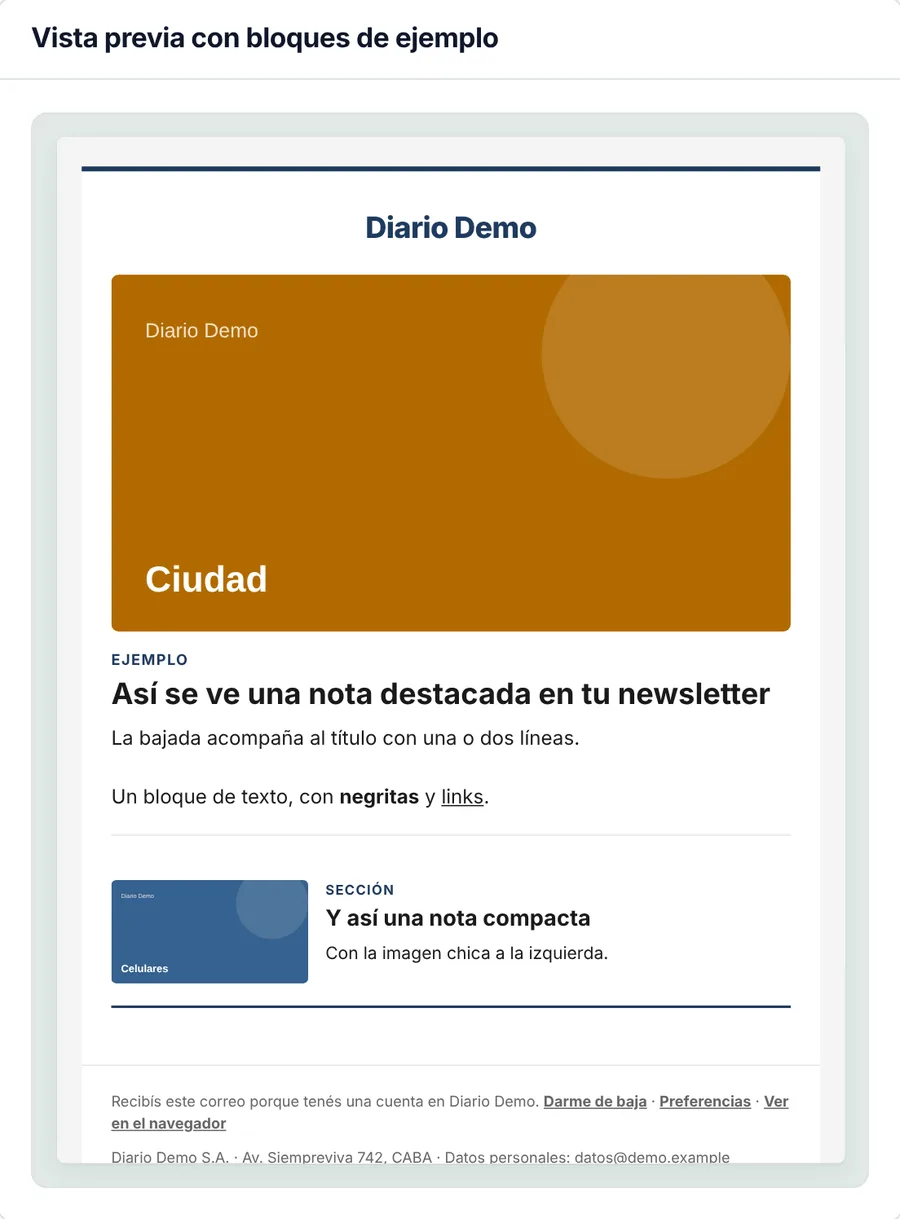
Email preview with the outlet’s design: logo, featured story, compact story and legal footer.
Primary color
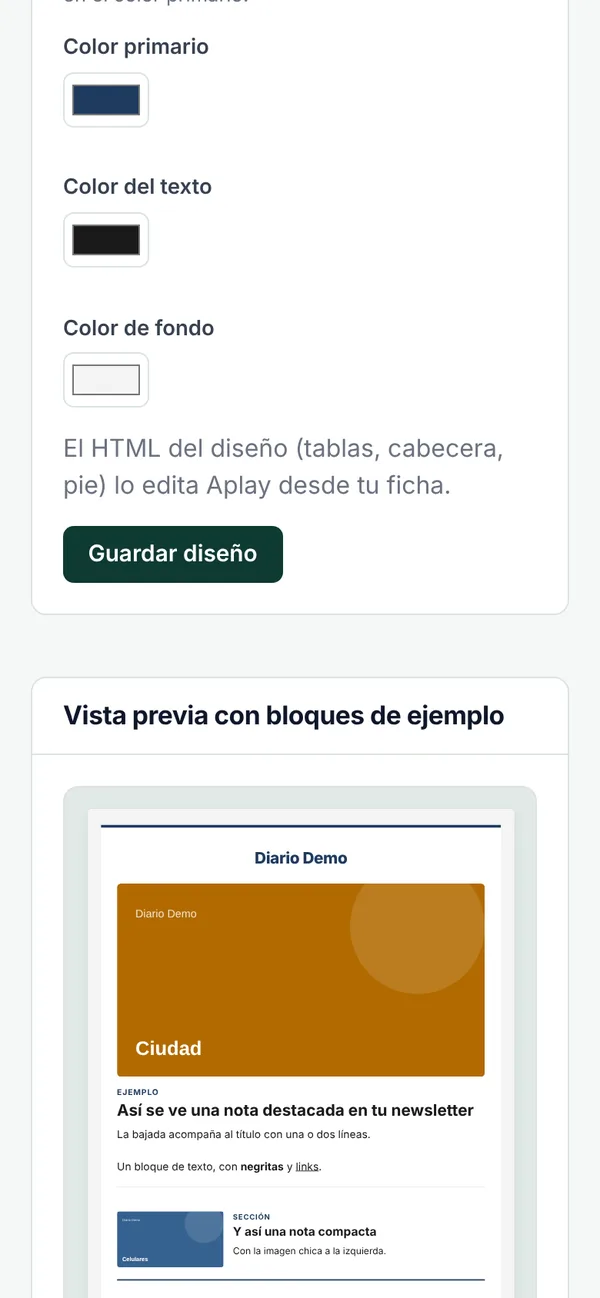
Email design on a phone: the outlet’s colors and the newsletter preview.
Primary color

You pay for what reaches the inbox.

Not for the contacts you store: there’s no limit on contacts.

Glorieta

To start talking to your readers.

USD 300per month

Up to 500,000 emails delivered per month

Choose Glorieta
  • Block editor with the stories from your site
  • Your own HTML for special pieces
  • One automation (for example, the daily)
  • Your logo, your colors and your domain
  • Report for every edition
  • One-click unsubscribe and legal footer included
  • Gradual sending to stay out of spam
Recommended

Ágora

For the everyday newsletter.

USD 600per month

Up to 1,500,000 emails delivered per month

Choose Ágora
  • Everything in Glorieta
  • Unlimited automations, with review
  • Topic lists and reader preferences
  • Templates and a weekly calendar
  • Weekly audience report
  • Permission request for readers who haven’t given it yet

Foro

For large bases and special coverage.

USD 1,100per month

Up to 3,000,000 emails delivered per month

Choose Foro
  • Everything in Ágora
  • Sending priority for your most active readers
  • Runs alongside another email tool, with no duplicate sends
  • Extra sends when you have special coverage
  • Guided setup: domain, DNS and connection
  • Priority support from the Plaza team

Bounces, unsubscribes and test sends are free We let you know at 80% and 100%; overage is billed at your plan’s rate per thousand Over 3 million a month: custom plan Export your base whenever you want, free of charge

What people usually ask.

Frequently asked questions about billing, branding, unsubscribes and sending.

Got another question? Tell us how your outlet works and we’ll get back to you. Email us
Do I pay for the contacts I have stored?

No. You pay for the emails that reach the inbox. Bounces, unsubscribes and test sends are free. We let you know at 80% and 100% of your plan and, if you go over, the overage is billed at the same rate per thousand as your plan.

How do you keep emails out of spam?

Plaza only emails readers who gave their permission, sends in batches from your domain and pauses sending if it detects a problem.

Do my readers see the Plaza brand?

No. Every email goes out with your logo, your colors and from your domain.

How does a reader unsubscribe?

With one click from any email. They stop receiving instantly and the unsubscribe flows back to your system.

Can I keep using another email tool?

Yes, with the Foro plan: both run side by side with no duplicate sends.

Does it work with my CMS?

With CMS Mustang Cloud it integrates directly: you open Plaza from a button in your CMS and your stories appear on their own. With any other system, Plaza takes the stories from your site’s RSS feed and the Plaza team connects your reader base.

Are my readers still mine?

Yes. Your base lives in your system and Plaza works with a synced copy. Unsubscribes and bounces flow back to your system, and you can export everything whenever you want, free of charge.

Bring your newsletter to Plaza.

Tell us how your outlet works and the Plaza team will get back to you to get it up and running.

  • Your brand on every email
  • Pay per email delivered, not per contact
  • One-click unsubscribe on every email

Rather email us? contacto@plaza.news

I’m interested in
Which CMS do you use?

We only use your details to answer your inquiry. More in our privacy policy.